

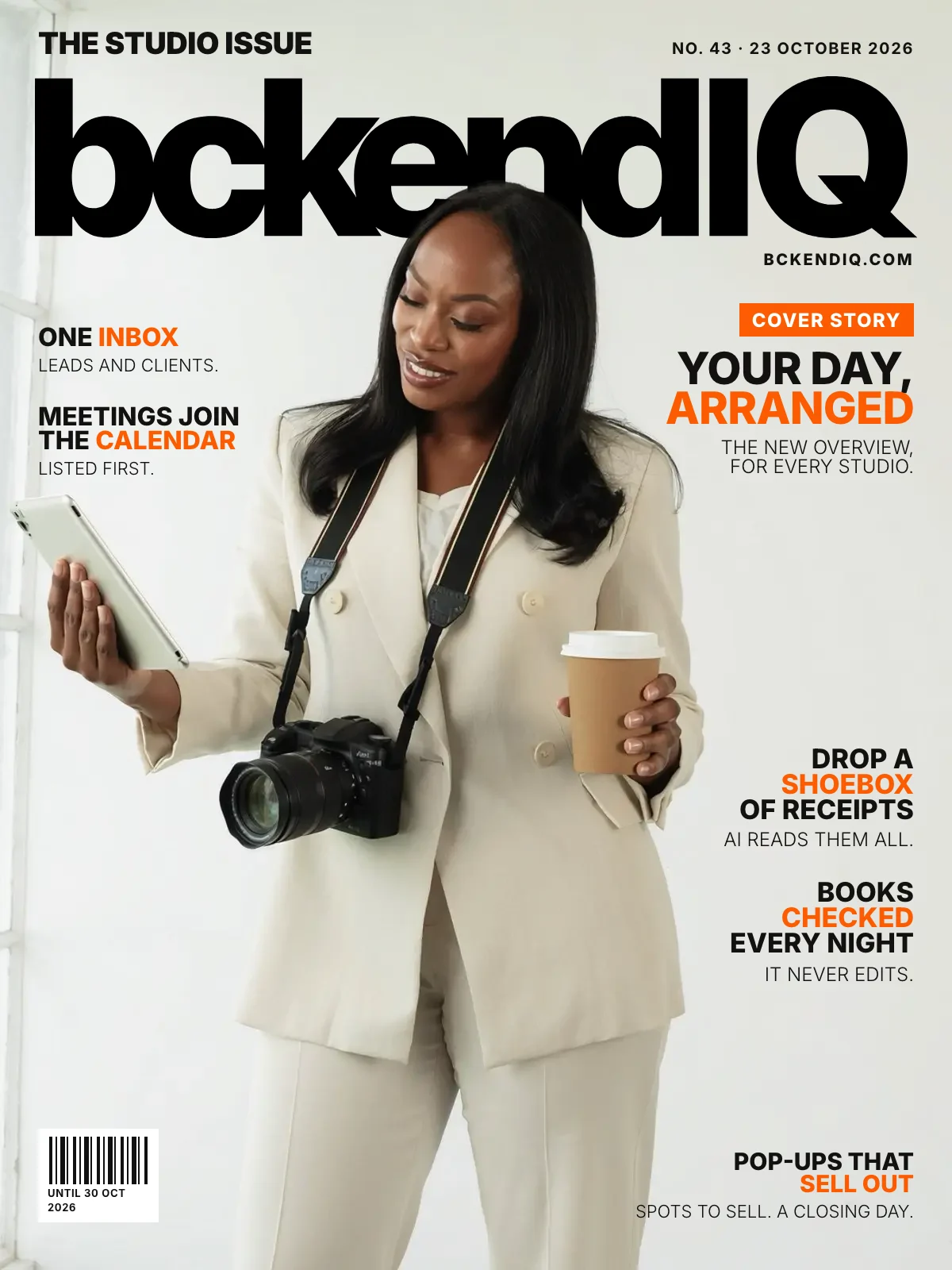
The studio issue · No. 43
The new Overview arranges your studio's day
By the bckendIQ team4 min read27 changes
It is 8am. Three tabs are open, a shoebox of receipts sits by the door, and you are not sure what is late.
This week gave every studio a better start to the day. Here is every change.
On the cover · Dashboard
The new Overview opens every studio's day
The problem: Your day was spread across pages, and nothing said where to start.
What changed: Each part of the business has its own colour. Staff see their own day, and the weather joins the greeting.
Open it in bckendIQ →On the cover · Financials
Drop a shoebox of receipts and AI reads them all
The problem: Receipts pile up for months, then take a weekend to type in.
What changed: Photos, PDFs, Excel files and whole folders. You check the list, then save.
Open it in bckendIQ →On the cover · Financials
A Books review flags what looks wrong, every night
The problem: A double cost or a late invoice hides until the month closes.
What changed: Double costs, late or mismatched invoices and jobs that lose money. It never edits your books.
Open it in bckendIQ →On the cover · Leads
Leads and clients share one Inbox
The problem: You hunted for what you had already emailed a couple.
What changed: Every email sent, every reply and what goes next, with richer text. A client's Messages tab reads the same way.
Open it in bckendIQ →On the cover · Bookings
Meetings are on the calendar, and each day lists them first
The problem: Consultations were booked, but sat on no calendar.
What changed: Meetings and shoots come first by time. Every row opens its lead or client.
Open it in bckendIQ →On the cover · Leads
A pop-up sells a set number of spots, and closes on a day you pick
The problem: A pop-up page could sell more sessions than you can shoot.
What changed: At the limit the page says Fully booked. After the closing day it reads as ended.
Open it in bckendIQ →Also this week
Dashboard
Arrange the Overview: move, resize or hide your own cards
It opens on Clock In, then Today's lift, then This week. Reset brings that order back.
Open it in bckendIQ →Clock in and out on the Overview, and see what is still open
Clocking out lists late tasks, work due today and unanswered mentions first.
Open it in bckendIQ →Nudge a lead or pay someone without leaving the Overview
Each message opens pre-written over the page for you to edit. Nothing sends itself.
Open it in bckendIQ →Search every notification from the bell
Find an old tag, mention or comment across your whole history.
Smaller fixes across the app
Late work shows on your plate, weather finds a town saved without a comma, and phone pages scroll to their end.
Open it in bckendIQ →
Financials
Finance is three tabs: Overview, Money in and Money out
Money out counts a cost in the month it was due.
Open it in bckendIQ →
Marketing
Broadcasts write with AI, send you a test and save drafts
Add pictures, video and a banner. AI fills the boxes, and you press Send now.
Open it in bckendIQ →See which lead pressed which link in your emails
Lead bank rows show how many times they clicked. Every link carries its source.
Open it in bckendIQ →Import leads from Excel, Word or a photo, and download them by tag
A download leaves out people who opted out or bounced, unless you tick Include them.
Open it in bckendIQ →Change who a sequence is for after you make it
On the web and on the phone.
Open it in bckendIQ →
Gigs
Crew pay is checked before you pay it
A flat fee beats hourly, and odd hours wait for you to settle them. Each person's pay shows in their own currency.
Open it in bckendIQ →Create a client right on a gig, and rename it from its page
Pick Existing or New, then give the job a name.
Open it in bckendIQ →
Performance
Every payslip has a download
It makes a printable page you can save as a PDF.
A 1-on-1 is a video call with a link, or in person at a place
Leave the link blank and a Meet link is made, if your account is connected.
Open it in bckendIQ →
Galleries
Add files to a gallery, and skip what is already there
Or put a repeat up as version 2. A stopped upload carries on where it left off.
Open it in bckendIQ →Guest Gallery is now Wait ’n’ Get
Every guest has a Gallery link, and the pass shows the total photos found.
Open it in bckendIQ →
Bookings
Clients pick their venue on a map
The full address goes into the agreement and onto the booking.
Open it in bckendIQ →A moved date goes back to the client to confirm
Before their yes, they confirm again. After it, they get a correction.
Open it in bckendIQ →
Projects
Project tiles show percentages: late, on time, assigned, due and delivered
See the share of work at a glance.
Open it in bckendIQ →
Settings
Step by step guides, with narrated videos, inside the app
A Help icon beside Setup opens 12 chapters.
Questions about this week
- Can I hide cards on the Overview?
- Yes. Press Arrange to move, resize or hide your own cards. Reset puts them back. Pay always stays on the page.
- Does AI save my receipts for me?
- No. AI reads them into a list. You edit it, and nothing is saved until you press Add.
- Does the Books review change my numbers?
- No. It says what looks wrong, why it matters and what to do. It never edits your books.
bckendIQ runs enquiries, contracts, payments, galleries and crew for photo and video studios, in one place. Start free, no card needed →